
Linux Command-Line Tips & Tricks
Terrific Techniques To Take The Tedium Off Terminal Tasks
A reference for oft-forgotten and oft-confused Linux console and shell-scripting constructs

Linux Command-Line Tips & Tricks is a hack collection for Linux command‑line warriors. Because of the shell's ancient history, BASH scripting has some odd programming constructs that are difficult to memorize. This book is a ready-reference for such archaic but crucial details.
It is also at an advanced level. It assumes that you already know how to use the terminal and are adept at shell programming. It does not teach you the basics or try to be a comprehensive reference. It trusts your intuition and focuses on things that you are most likely to forget or be confused about.
- Target: Linux command-line warriors
- First published: February 2021 (grayscale)
- Second edition: October 2022 (full colour)
- Pages: 100
- Table of Contents:
- Terminal
- Shell Scripting
- Caja Actions Configuration
- System Administration
- Internet Tasks
- Multimedia Tasks
- Office Tasks
- Miscellaneous Tips & Tricks
-
Buy from:
Format Store Price Colour Paperback Bookswagon (India) ₹772 Colour Paperback Amazon (USA) $9.99 Ebook Amazon (INDIA) ₹200 Ebook Amazon (USA) $6 Universal link for all stores https://books2read.com/shell
This is the first and only book to have syntax-highlighted code snippets in FULL-COLOUR. (The syntax-highlighted code snippets are available only in the paperback form.) No other publisher can claim such a feat.
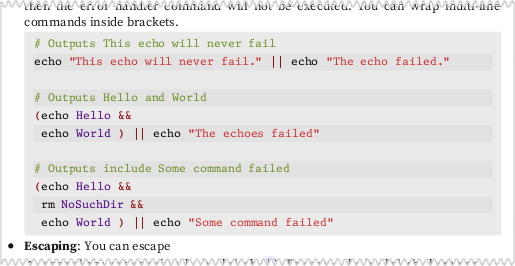
I doubt if there is any Linux book that is as good as this one. Most Linux books do a good job of describing expected behaviour. Very few of them focus on stuff that can go wrong. And, as everyone knows, if things can go wrong, they most likely will. Given that trillions of dollars of assets are managed by shell scripts, it is important to avoid all avoidable mistakes.
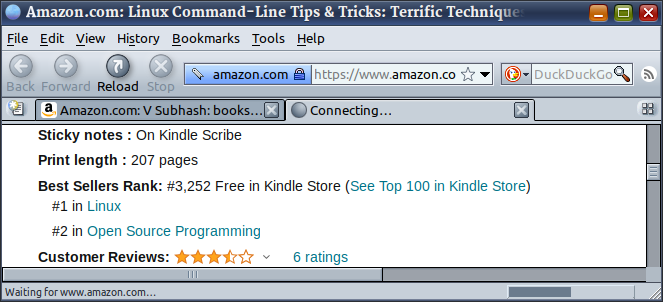
The book is #1 in Linux and #2 in Open Source Programming? It got this rank when it was free.
Demos
-
Create a meme video: This meme video was created using a Linux BASH command. It is one of several examples used to illustrate the power of the command line.
ffmpeg -y -i Prime-Time.mp4 \
     -ss 0:43:51 -t 0:0:33 \
     -filter_complex "color=c=green:s=640x360[c];
                      [c]drawtext=x=20:y=20:fontcolor=yellow:alpha=0.6:shadowx=1:shadowy=1:textfile=t1.txt:fontsize=22:fontfile=Dummies_.ttf[t1];
                      [t1]drawtext=x=270:y=320:fontcolor=yellow:alpha=0.6:shadowx=1:shadowy=1:textfile=t2.txt:fontsize=22:fontfile=Dummies_.ttf[t2];
                      [t2]drawtext=x=10:y=330:fontcolor=white:alpha=0.6:textfile=t3.txt:fontsize=16:fontfile=SourceSerifPro-It.ttf[t3];
                      [0:v:0]crop=640:250:0:35[v];
                      [t3][v]overlay=0:55" \
     aoc-faa.mp4
-
Post a message on Twitter: Here is how you can tweet from the command line.

Sample Pages
This low-resolution watermarked but fully functional PDF has a few sample pages from the book. You can review the PDF before your purchase.
Download
linux-command-line-tips-n-tricks-by-v-subhash-review-copy.pdf
6 pages with watermarks | 2 MB