
FFmpeg can convert videos to animated GIFs. In my book Quick Start Guide to FFmpeg, I have this command to convert a Baywatch video to an animated GIF as my software implementation of Run, Yasmine! Run!
ffmpeg -y  -i bw.m4v \
       -filter_complex \
         "fps=7,scale=w=320:h=-1:flags=lanczos,split[v1][v2];
          [v1]palettegen=stats_mode=diff[p];
          [v2][p]paletteuse=dither=bayer:bayer_scale=4" \
        bw-4.gif
While this will do in most cases, sometimes you want add some text banner on the GIF. If you have the source video from which the GIF is to be created, then you just need to render the text using the FFmpeg filter drawtext. (I have one another filter drawbox to render a background to the rendered text.)
ffmpeg -y -ss 6  -i Indian-Car-Accident-Narrow-Escapes.mp4 \
       -filter_complex \
         "drawbox=x=20:y=20:w=iw/2-85:h=30:color=FFFFFF66:t=fill,
          drawtext=x=25:y=25:fontcolor=black:
           text='www.VSubhash.in': \
           fontsize=25:fontfile=Exo-Black.ttf,
          fps=7,scale=w=250:h=-2:flags=lanczos,split[v1][v2];
          [v1]palettegen=stats_mode=diff[p];
          [v2][p]paletteuse=dither=bayer:bayer_scale=4" \
       -t 6 -loop 0 \
       animation-indian-freak-accident.gif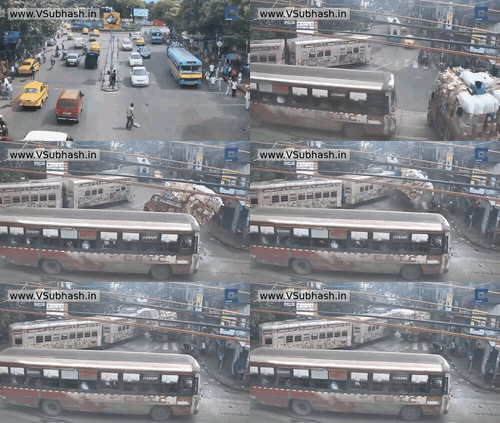
Note that I have used the drawtext and drawbox filters before scaling down the source video.
Become an FFmpeg PRO by reading my book Quick Start Guide to FFmpeg.

- MORE INFO — http://www.vsubhash.in/ffmpeg-book.html
- BUY — https://books2read.com/ffmpeg (common link for all stores)
- FREE INTERNATIONAL SHIPPING -
https://www.apress.com/9781484287002