

My FFmpeg book is back. In 2020, I had self-published it as FFmpeg Quick Hacks. More than a year ago, I submitted it to Apress and they asked me to replace all screenshots that used Youtube videos as examples — for copyright reasons. I then used public domain videos (created by US government agencies) and my own videos. This led to a complete rewrite. I was surprised to find a few mistakes in the original book. The reviewer Gyan Doshi (who is an FFmpeg contributor and active participant in FFmpeg forums) discovered some other mistakes and made valuable suggestions. (The 2020 book was reviewed by Lou Logan, who is also an FFmpeg contributor.) While the book was being reviewed, the acquisitions editor asked me to update the book for the latest LTS version of FFmpeg. I compiled the new FFmpeg source and found that the -map_channel option was deprecated. This lead to further changes. I also took this opportunity to add some new topics such as APNG animations and hardware acceleration. These later additions were not reviewed by Gyan so any mistakes in them are my fault. [UPDATE: Gyan mentioned that he had received his free copy and that it was fine.]
The book was typset in my home town or rather city Chennai. Apress let me work with their team so that the book had accessibility- and usability-related formatting enhancements that I usually make in my self-published books. This lead to some frustration and conflict, and the publication date was postponed by months. (The book was expected to be published in November 2022.) I forced three rounds of revisions to the final manuscript much to the publisher's chagrin. The publication date was set to March 2023 but Apress suddenly published the paperback and ebook in February. I did not see the finalest final paperback PDF and ebook EPUB. The EPUB does not have the formatting enhancements that I had obtained in the paperback. So, readers should prefer the PDF ebook (yes, it is available from Springer) rather than the EPUB ebook.
List of Contents
- Introduction
- Extra resources for the book
- Chapter 1: Installing FFmpeg
- Chapter 2: Starting with FFmpeg
- Chapter 3: Formats and codecs
- Chapter 4: Media containers and FFmpeg numbering
- Chapter 5: Format conversion
- Chapter 6: Editing videos
- Chapter 7: Using FFmpeg filters
- Chapter 8: All about audio
- Chapter 9: All about subtitles
- Chapter 10: All about metadata
- Chapter 11: FFmpeg tips and tricks
- Chapter 12: Annexures
- Annexure 1: Sample list of codecs
- Annexure 2: Sample list of decoders
- Annexure 3: Sample list of encoders
- Annexure 4: Sample list of filters
- Annexure 5: Sample list of formats
I had even formatted the annexures listing using a shell script. You can check it out in the free sample pages PDF. Do note that this PDF also includes some pages from the old book. It was formatted by me using my own book publishing process. The book published by Apress/SpringerNature will look considerably different.
ERRATA
I have read the manuscript so many times that I have become blind to its mistakes. (Publishing experts say that when you are inside the bottle it is difficult to read the label.) I discovered one error in page 162 where I had written backslash instead of slash. It is not a big deal but I wanted all known errors to be removed. I had also disassembled their EPUB and reassembled it with my formatting improvements. But, the publisher has a complicated system that publishes the book to various printers and ebook stores that it is very expensive to issue an errata and update the book. That is why I recommend the PDF ebook directly from Apress/SpringerNature over the EPUB ebook from other sites. The former is beautifully formatted, same as the paperback.

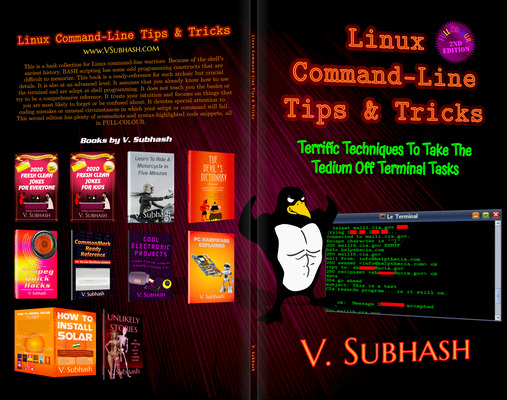
I had also created an informative cover art for the book but Apress found it blurry and chose a stock image.

I had made colour syntax highlighting in the code snippets but the publisher could not use it as they seek to limit the amount of colour ink on the paper. Not all of their printers worldwide can handle so much colour. I then realized that nobody else was publishing tech books with colour syntax highlighting.
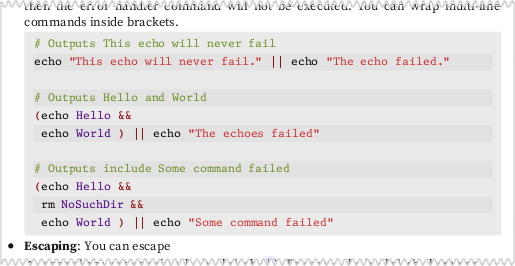
I was the only one! I had unwittingly pioneered colour syntax highlighting with my book Linux Command-Line Tips & Tricks!
This post has been updated to add links and remove outdated material.