
Like PM Modi, who has been an open-defecation-free India crusader, I have been on a mission to create an open-cleavage-free Internet today … maybe for a short while today!
Yesterday, TheyTube showed me one of their dubiously named ‘related videos’. It was by one Devika Gupta. This video featured a cringy Social Media celebrity who provides nothing of value other than copious shots of her cleavage. [I had planned to write a blog post titled ‘Another reason to hate Google - family vlogging’ but that is for another day. I dread it.] This video set me thinking. Recently, a Theytuber whose RSS feed I have been following since the pan(dem)ic lockdown days has also been … her attire drew attention to her heavy chest. [Nothing else untoward.] She used to buy pallets of Amazon Returns (goods returned by buyers) and then selling them at her offline bin store and on Ebay. Recently, she exited this business and has been posting about scams related to the retail industry. The content remains interesting but I was unable to concentrate. I suspected there have been others like me. The comments section of her videos confirm my suspicions.
Maybe FFmpeg could be used to fix this problem … the skin tone could be replaced with some neutral color.
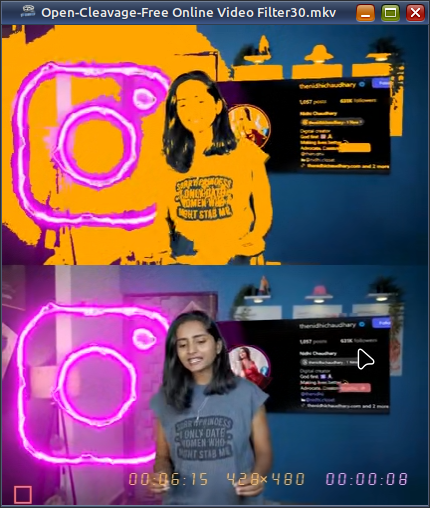
This effect can be obtained by adding colorkey=b27a5a:similarity=0.3 to my FFplay script right before the drawText filter. You can adjust the propensity of the color replacement by changing the value of the similarity filter option. Values range from 0.01 to 1.
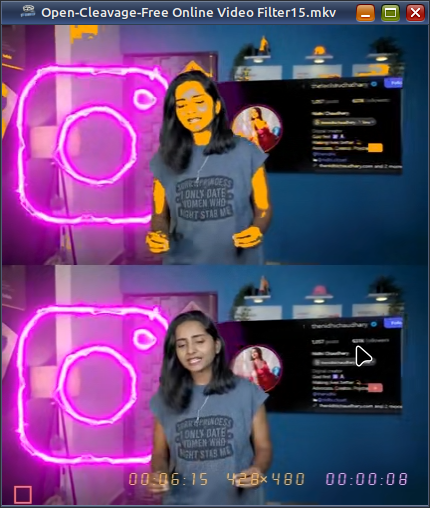
As I am a practicing racist, I can assure you that this filter has been battle‑tested on Western (White) females too. Well, one of them. Here is the video:

I do not see online videos on my computer or mobile because they stall intermittently. [I do not use a smartphone.] Instead, I download them with a shell script on my PC and watch them offline on my TV. So, this filter is not useful on the telly … unless I re-encode the videos with the filter before shipping.
ffmpeg -i open-cleavage-video.mkv \
       -filter_complex \
         "color=orange:s=854x480[b];
          [0:v:0]colorkey=b27a5a:similarity=0.15[ov];
          [b][ov]overlay"
       cleavage-free-video.mp4
Re-encoding of course takes time and I will not be doing it for all the videos I download. However, the option is now available for anyone who needs it. I will continue to suffer through those cleavage-heavy videos about the American retail sector. It will be difficult but somehow I will get through them. Thanks.
Become an FFmpeg PRO by reading my book Quick Start Guide to FFmpeg.

- MORE INFO — http://www.vsubhash.in/ffmpeg-book.html
- BUY — https://books2read.com/ffmpeg (common link for all stores)
- FREE INTERNATIONAL SHIPPING -
https://www.apress.com/9781484287002